Mastering Furry AI Art Generation
- Wolfen Wolfclaw

- Aug 8
- 4 min read
Creating furry art with AI is changing how you bring your characters to life. It’s faster, more flexible, and opens up new creative doors. But getting great results takes more than just clicking a button. You need to understand the tools, techniques, and tricks that make AI art work for you.
This guide walks you through everything you need to know to master furry AI art generation. You’ll learn how to start, what to watch out for, and how to improve your images step by step. Plus, you’ll see examples of popular AI art tools that fit perfectly with furry art creation.

Close-up of a furry character showing detailed fur and vibrant colors
How AI Changes Furry Art Creation
AI art generation uses machine learning models to create images from text prompts or sketches. For furry art, this means you can describe your character’s look, pose, and style, and the AI will generate a unique image based on that.
This technology saves time and effort. Instead of drawing every detail by hand, you can focus on refining your ideas and customizing the results. AI also helps you explore new styles or poses you might not have tried before.
But AI art isn’t perfect. It can sometimes misinterpret your prompts or create odd details. That’s why learning how to guide the AI and edit its output is key to mastering furry AI art generation.
Choosing the Right AI Art Tools for Furry Art
Not all AI art generators are the same. Some work better for furry art because they understand animal features, fur textures, and fantasy styles. Here are two popular tools that many furry artists use:
Stable Diffusion
This open-source AI model is great for detailed and customizable furry art. You can run it on your own computer or use online services. It supports fine-tuning and custom models, which means you can train it on your own furry art style.
Learn more at Stable Diffusion.
Furry AI Art Generator by Aurawulf
This tool is designed specifically for furry art. It offers presets and style options tailored to the furry fandom. It also connects you with a community where you can share your creations and get feedback.
Check it out at Aurawulf Furry AI Art Generator.
Both tools let you start with simple text prompts and then tweak the results. You can add details like fur color, eye shape, or clothing style. The key is to experiment and learn how the AI responds to different descriptions.
Writing Effective Prompts for Furry AI Art
Your prompt is the main way to communicate with the AI. The clearer and more specific your prompt, the better the results. Here are some tips for writing prompts that work well for furry art:
Be specific about species and features
Instead of “furry character,” say “anthropomorphic fox with orange fur and green eyes.”
Include style and mood
Add details like “cartoon style,” “realistic fur texture,” or “playful expression.”
Mention pose and background
For example, “standing on a forest path” or “sitting with a confident pose.”
Use simple language
Avoid complex words or vague terms. The AI understands straightforward descriptions better.
Try combining these elements in your prompt. For example:
“Anthropomorphic wolf with silver fur, blue eyes, wearing a leather jacket, standing in a city at night, digital art style.”
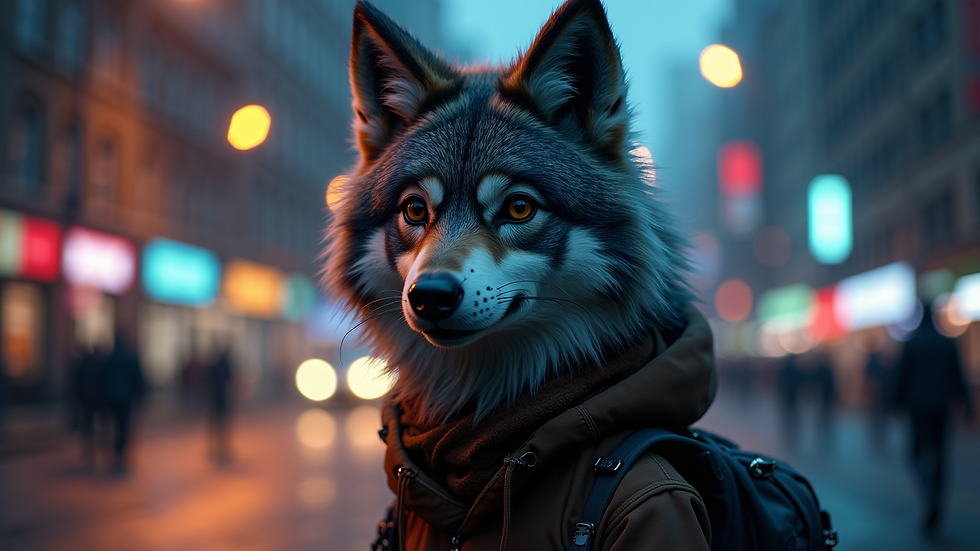
Eye-level view of a furry wolf character standing in a city at night
Editing and Refining AI-Generated Furry Art
Once you get an image from the AI, you might want to make changes. AI art can have small mistakes or details that don’t match your vision. Here’s how to improve your images:
Use image editing software
Programs like Photoshop or free tools like GIMP let you fix colors, clean up lines, or add details.
Try multiple generations
Run the same prompt several times. Each result will be different. Pick the best one or combine parts from different images.
Adjust your prompt
If the AI misses something, rewrite your prompt with clearer or different words.
Use inpainting tools
Some AI tools let you edit parts of the image directly by painting over areas you want to change.
This process takes practice. The more you work with AI art, the better you’ll get at spotting what needs fixing and how to ask the AI for it.
How Aurawulf Supports Your Furry AI Art Journey
Aurawulf is more than just an AI art tool. It’s a community hub for adult furry fans who want to create, share, and connect. Their furry AI art generator is built with your needs in mind. It offers:
Easy-to-use presets for common furry species and styles
A safe space to share your art and get feedback
Access to exclusive content and tutorials from Wolfen Wolfclaw, a well-known furry influencer
If you want to dive deeper into furry AI art, Aurawulf’s platform is a great place to start. You can find inspiration, learn new techniques, and grow your skills alongside others who share your passion.
Explore Aurawulf’s furry AI art generator here.
Tips for Building Your Own Style with AI Art
AI can help you create art fast, but your unique style is what makes your work stand out. Here’s how to develop your style using AI:
Train custom models
If you use tools like Stable Diffusion, you can train the AI on your own drawings or favorite furry art. This makes the AI better at matching your style.
Mix AI with hand drawing
Use AI to create a base image, then add your own details or line work.
Experiment with different styles
Try realistic, cartoon, or abstract prompts to see what fits you best.
Keep a reference library
Save your favorite AI-generated images and note what prompts worked well.
Building your style takes time. Use AI as a tool, not a replacement for your creativity.

High angle view of a furry fox character sketch with AI-generated color and shading
Final Thoughts on Mastering Furry AI Art Generation
You have the tools and tips to start creating amazing furry art with AI. Remember, the key is to experiment with prompts, learn your AI tool’s strengths, and refine your images with editing. Don’t be afraid to try different styles and share your work with others.
If you want a solid starting point, check out the furry ai art generation guide from Aurawulf. It’s packed with useful info and connects you to a community that supports your creative journey.
Keep creating, keep sharing, and watch your furry art skills grow with AI.


Comments